Learn essential web and mobile design principles through clear examples of what works and what doesn't. Build intuitive, accessible, and beautiful user experiences.
Understanding these fundamental principles will transform your design work from mediocre to exceptional.
Visual hierarchy guides users through your interface by indicating what's most important. Size, color, contrast, and spacing all contribute to establishing clear priorities.
Click here to learn more about our features and capabilities
Terms and conditions apply to all users
Discover powerful features designed to boost your productivity.
Terms and conditions apply
Proper color contrast ensures your content is readable by everyone, including users with visual impairments. WCAG guidelines recommend a minimum contrast ratio of 4.5:1 for normal text.
This light gray text on white background is very difficult to read and fails accessibility standards.
This dark text on white background is easy to read and meets WCAG AA standards.
Mobile interfaces require adequately sized touch targets to prevent user frustration. Small buttons lead to mis-taps and poor user experience.
Tiny buttons are hard to tap:
Target size: ~24px
Properly sized buttons are easy to tap:
Target size: 48px (recommended)
Whitespace (or negative space) isn't wasted space—it's a crucial design element that improves readability, creates focus, and communicates sophistication.
This text has no room to breathe. Everything is squeezed together making it hard to read and overwhelming.
More information packed in without spacing.
This text has proper spacing, making it easy to scan and comfortable to read. Each element has room to breathe.
Additional information is clearly separated.
Don't overwhelm users with every option at once. Reveal complexity gradually as users need it, keeping the initial interface simple and focused.
All options shown at once - overwhelming for beginners
Simple by default, advanced features behind "Advanced Options"
Empty states and loading indicators dramatically affect perceived performance. Generic spinners feel slower than content-aware loading states.
Loading...
Generic spinner gives no context about what's loading
Skeleton screen shows content structure, feels faster
Good design prevents errors before they happen. Validation after the fact frustrates users—guide them to success proactively.
❌ Username must be 3-20 characters, alphanumeric only
❌ Password must contain uppercase, lowercase, number, and special character
User discovers errors only after submitting
✓ Username available
3-20 characters, letters and numbers only
Real-time feedback guides user to valid input
Every decision requires mental energy. Reduce cognitive load by minimizing choices, using recognition over recall, and making the path forward obvious.
User must manually select card type, format inputs, remember all details
Card type detected automatically
Auto-formatting, smart detection, fewer fields
Elements with greater visual weight attract more attention. Balance doesn't mean symmetry—it means creating a sense of equilibrium that guides the eye naturally.
$99/month
⚠️ LIMITED TIME OFFER!!!
Price dominates, but CTA is weak—visual hierarchy inverted
Premium Plan
per month
Cancel anytime
CTA has highest visual weight, supported by hierarchy
Words matter. Thoughtful microcopy transforms empty states and error messages from dead ends into opportunities for engagement and delight.
There are no items in this list.
Create your first project to begin tracking tasks
and collaborating with your team.
Your interface must adapt gracefully across all screen sizes and devices.
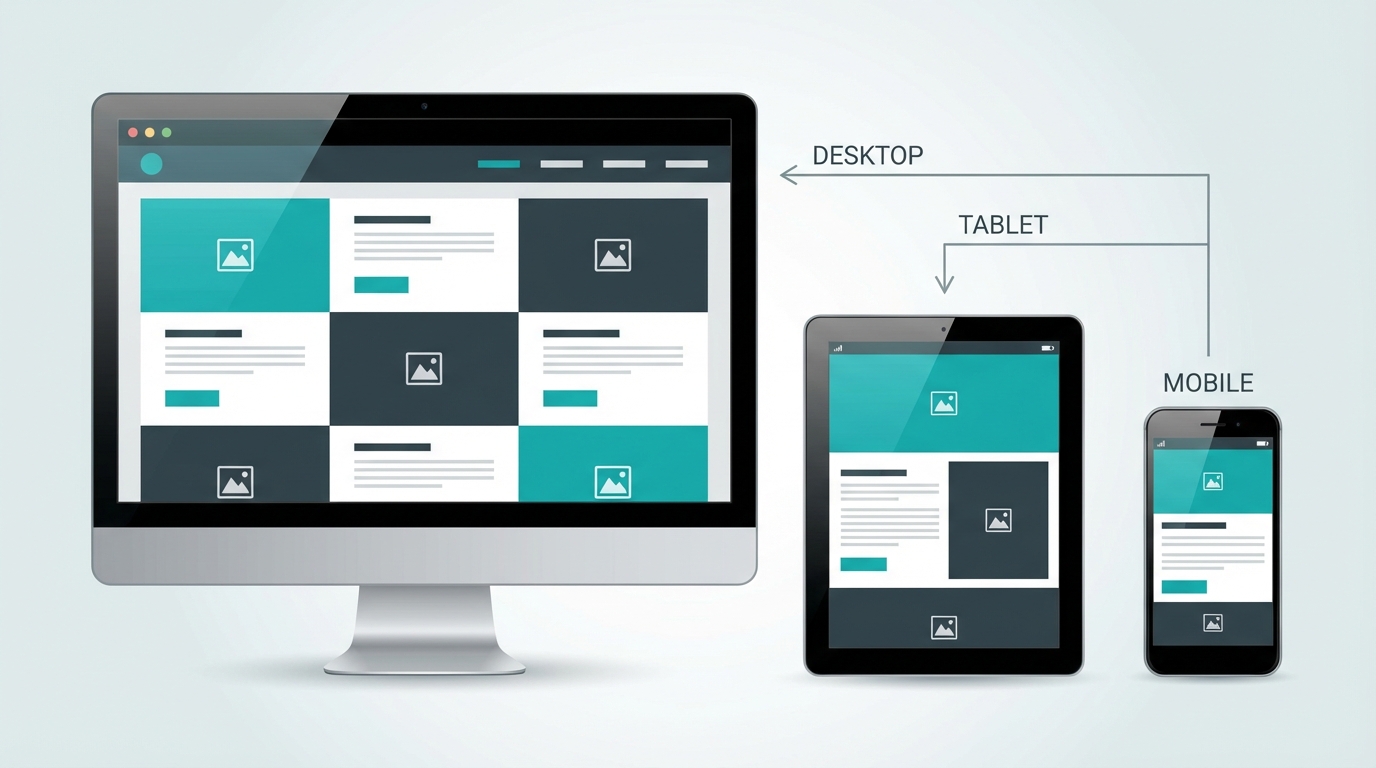
Responsive design ensures consistent experience across desktop, tablet, and mobile
Start with mobile constraints, then enhance for larger screens. This ensures core functionality works everywhere and prevents bloated designs.
Clear navigation is the backbone of good UX. Users should always know where they are and how to get where they want to go.
Icons without labels, inconsistent styling, unclear hierarchy
Clear labels, consistent icons, active state indicated
How users interact with your interface determines their overall experience.
Users need immediate feedback when they interact with your interface. Every action should have a clear reaction that confirms the system received their input.
Button with no hover state or feedback:
No visual change on hover or click
Button with clear interactive states:
Hover to see the interactive feedback
Good design prevents errors before they happen, and when errors do occur, provides clear paths to recovery.
Error
Please enter a valid email address (e.g., name@example.com)
Typography is the foundation of interface design. Poor typography can make even the best content unreadable.
This paragraph uses a poor font choice, tiny font size, cramped line height, and goes on for way too long without any breaks or visual relief making it extremely difficult to read and process the information being presented here.
This paragraph uses a professional sans-serif font with appropriate size and comfortable line height.
Breaking content into shorter paragraphs improves readability and comprehension.
Use this checklist before launching any web or mobile interface.
Interface works seamlessly across all device sizes and orientations.
Meets WCAG 2.1 AA standards with proper contrast, keyboard navigation, and screen reader support.
Optimized images, minimal JavaScript, and fast initial page load under 3 seconds.
Primary actions are obvious and stand out from secondary options.
Every interaction provides immediate visual feedback to the user.
Users can find what they need without confusion or extensive searching.
Forms validate input and confirm destructive actions before proceeding.
Text is legible with appropriate sizes, line heights, and contrast ratios.
Great UX/UI design is invisible—users accomplish their goals without thinking about the interface.
Consistency: Use the same patterns throughout your interface to build user confidence.
Simplicity: Remove unnecessary elements and focus on core functionality.
User-Centered: Design for your users' needs, not your preferences.
Test & Iterate: Get real user feedback early and often.
Accessibility First: Design for everyone from the start, not as an afterthought.